Maker’s story
Why I built HaruVista · 32 sec
When small calendar text started straining my eyes every afternoon, I built the clear, quiet Windows calendar I wished already existed.
 HaruVista · Native Windows 10 · 11 calendar
Tired of squinting at tiny calendar text on a laptop or high-DPI monitor? HaruVista is a fast native Windows calendar that brings Google, Outlook, iCloud, NAVER, and your tasks into one calm window—scaling only event text across seven readable sizes.
Until 31 January, Home dresses up for Christmas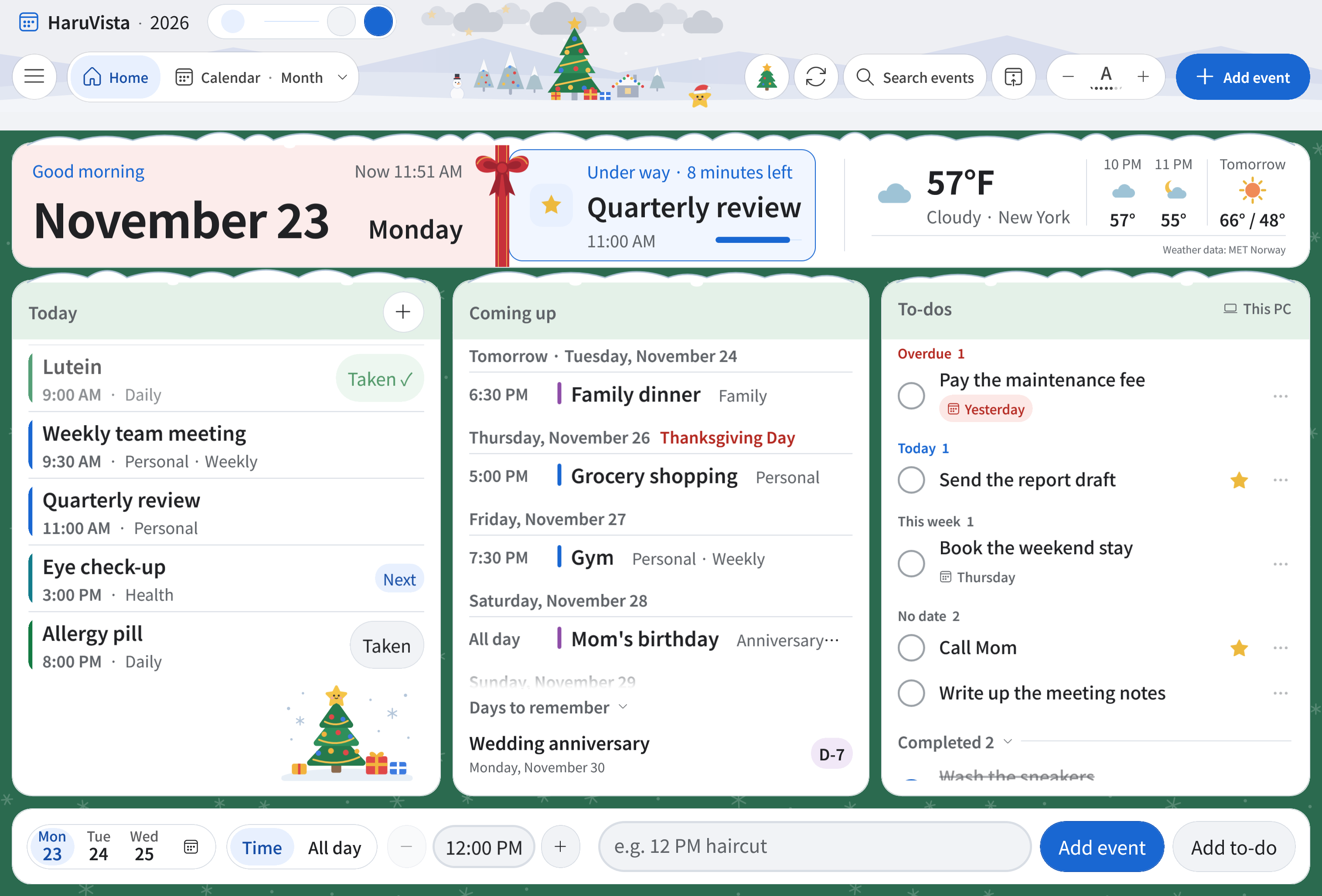
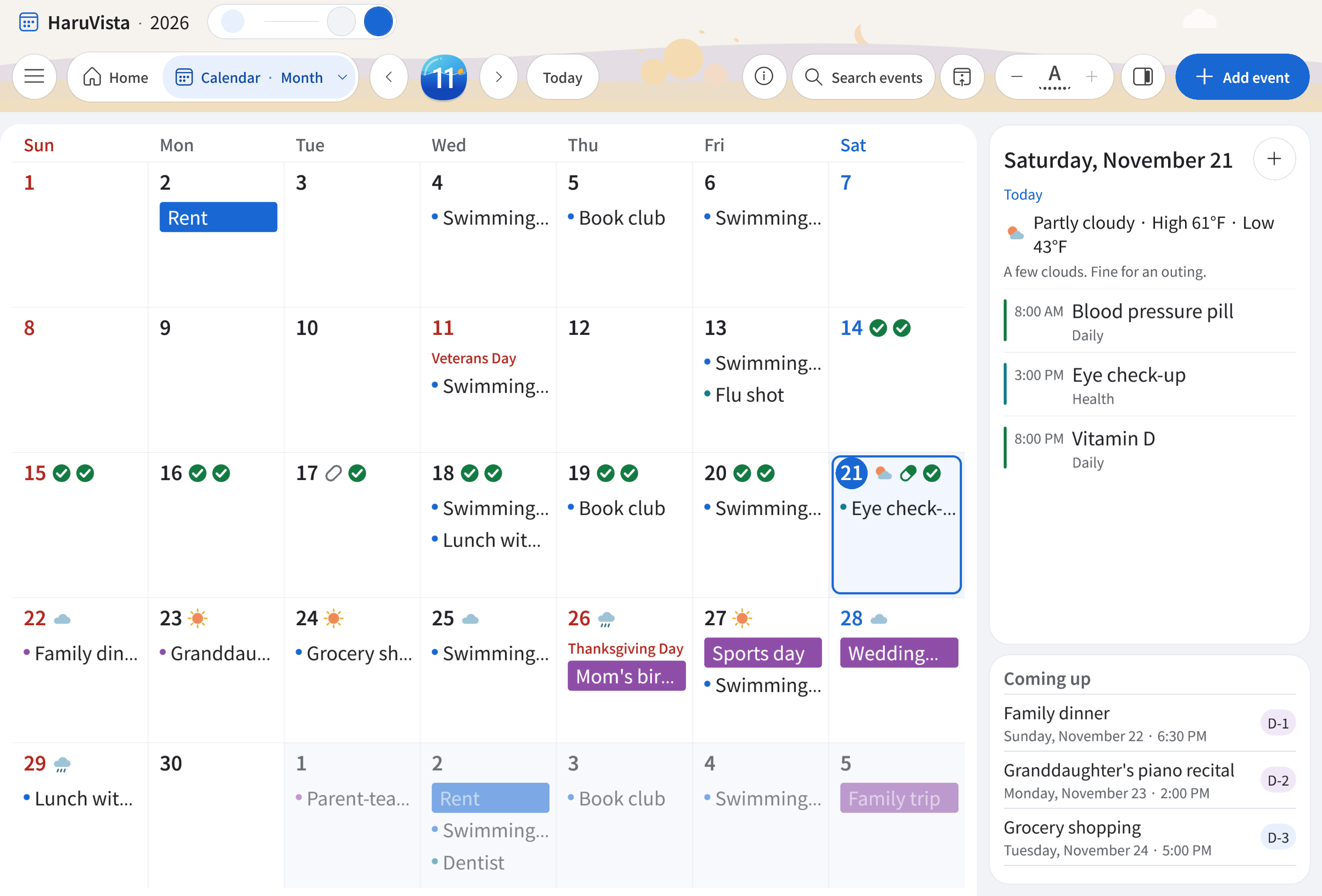
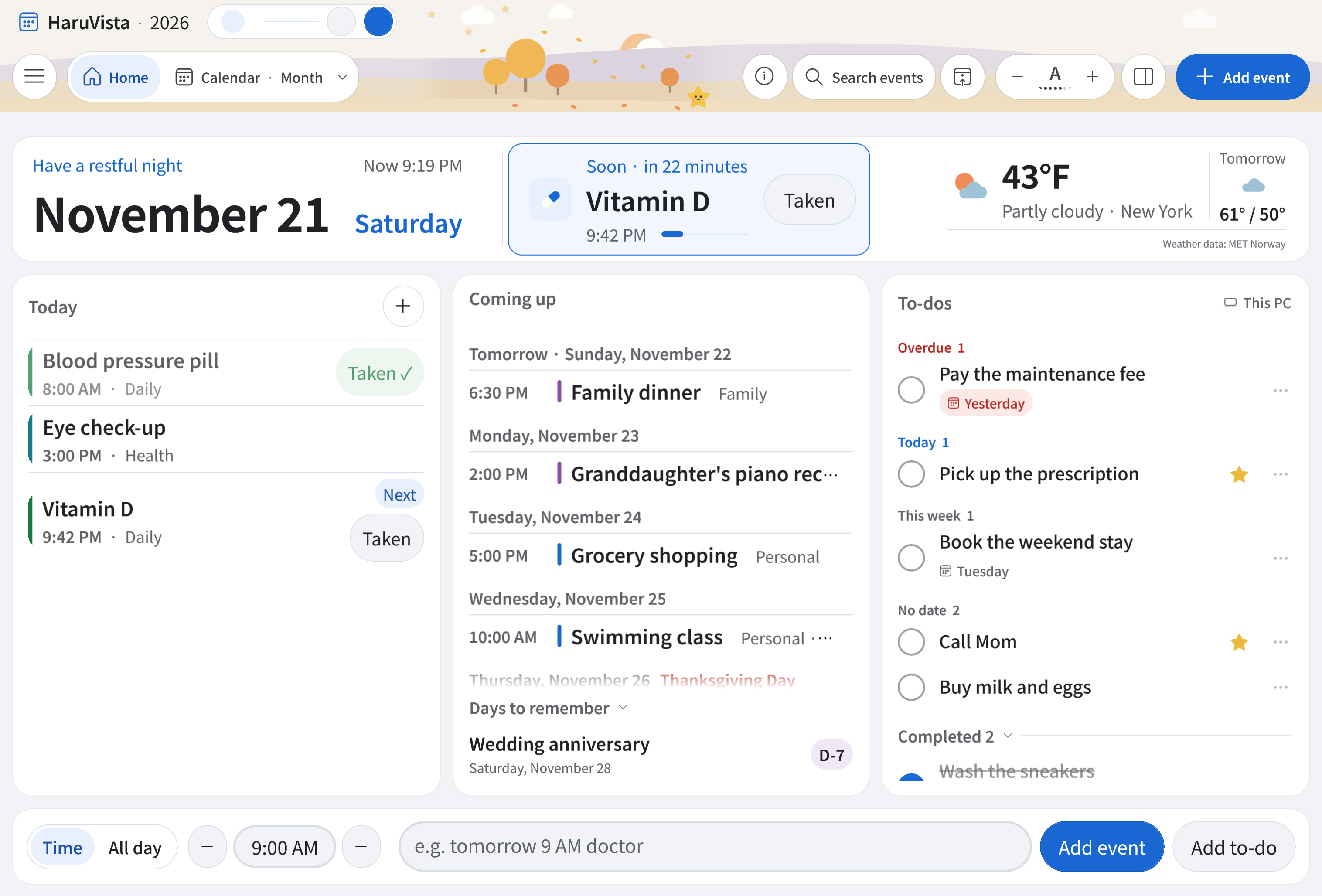
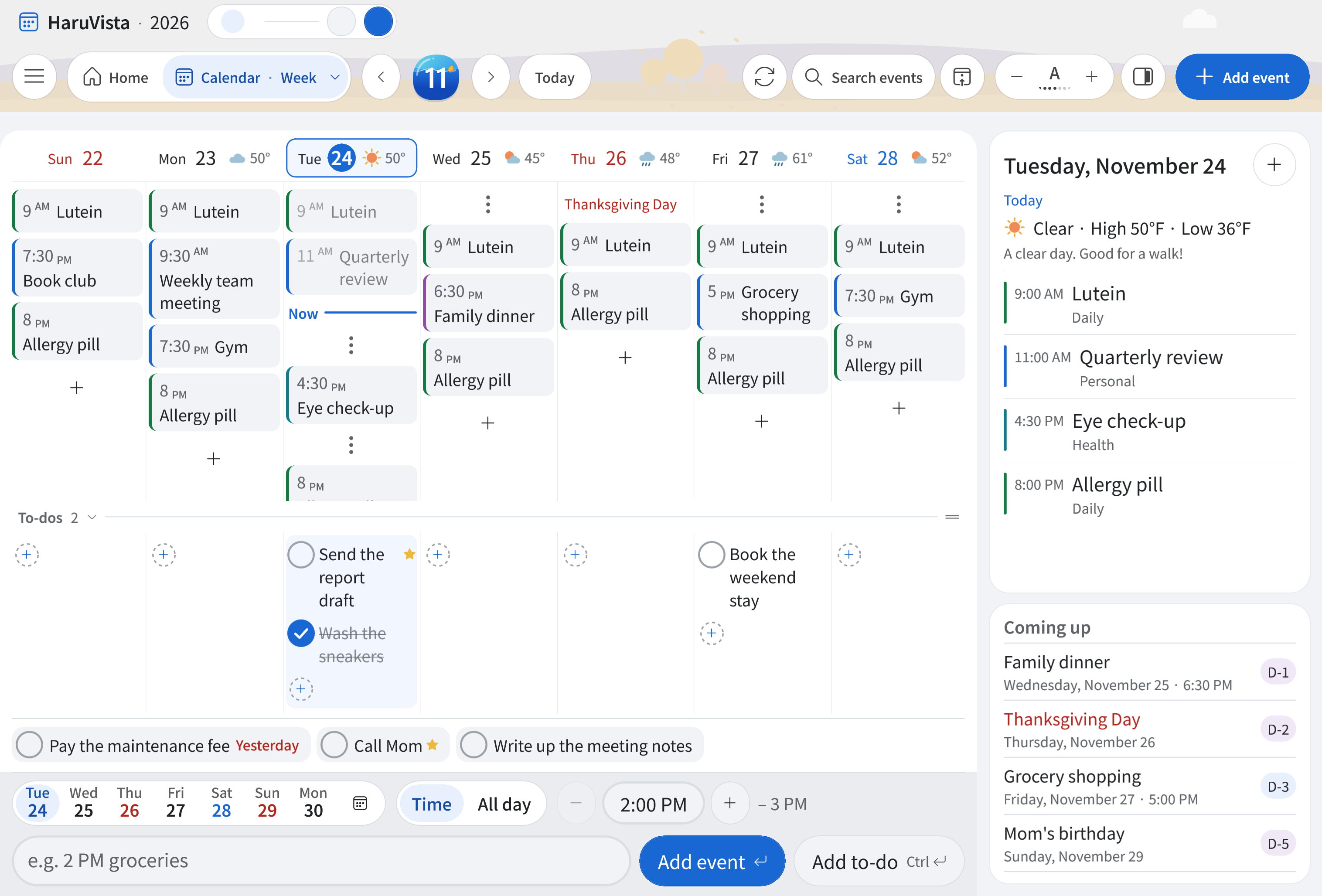
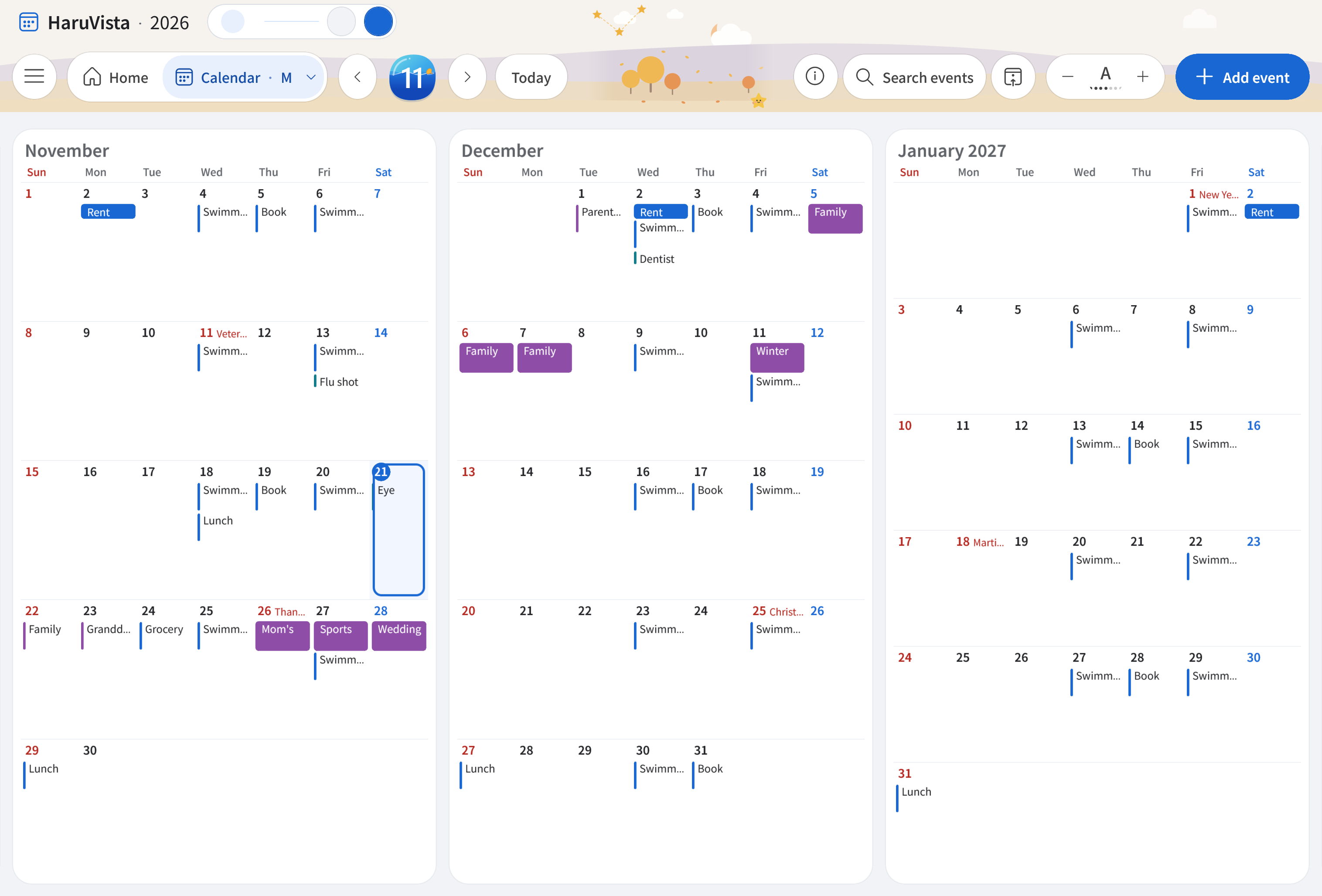
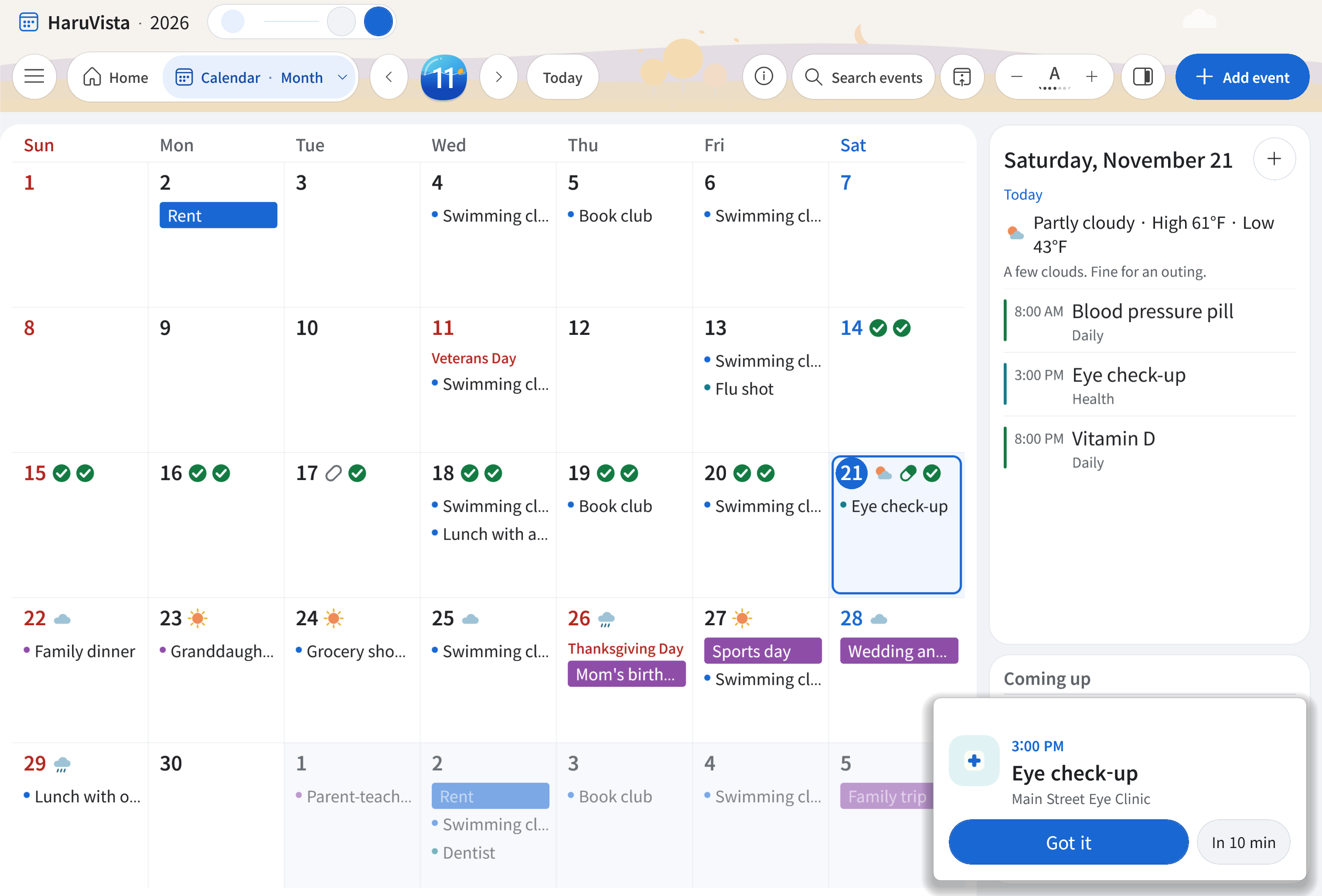
Actual HaruVista screens with fictional sample data. Week is from 1.3.8 and the other screens are from 1.3.1. Select any screen to view it full size.
Actual HaruVista screens with fictional sample data. Week is from 1.3.8, Christmas Home is from 1.3.4, and the other screens are from 1.3.1. Select any screen to view it full size.
Brings together the calendars and task lists you already use
Everything syncs directly between your PC and each provider—never through a TinyStar Labs server. Privacy policy
Readability · Gestures
Browser zoom blows up sidebars and squeezes your calendar grid. HaruVista keeps menus and cells crisp while letting you step event text across seven sizes—plus fluid touchpad pinch navigation.
Calendars · Tasks · Meetings
Stop juggling browser tabs and heavy mail apps. Manage multiple Google accounts alongside Outlook, Microsoft 365, iCloud, and NAVER on clean account cards, with your to-dos right below. Supported calendars sync both ways, and “Family news” tells you when a shared family calendar changes.
Quiet alerts · Daily routines
Event reminders appear gently in the lower-right corner without interrupting what you are typing. For daily supplements, prescriptions, or injections, confirm a dose straight from the Windows notification.
Everyday details · Print
View nationwide public holidays for 14 countries and regions offline, track recurring lunar birthdays with age counts, scan three months side by side, or print a clean large-text sheet for the wall. From 22 November to 31 January, Home dresses up for Christmas with falling snow and a decorated tree; the tree button in the toolbar turns it off and on.
Behind the app
A 32-second look at how everyday eye fatigue led to building a faster, clearer Windows calendar.
Maker’s story
When small calendar text started straining my eyes every afternoon, I built the clear, quiet Windows calendar I wished already existed.
Made for real desks
Built for people spending 8+ hours on a laptop or high-DPI screen who want a dedicated, lightweight calendar without web bloat.
Set it up once together—any family event you add on your phone appears automatically on their screen in large text.
Thoughtful fundamentals
Fast entry, forgiving edits, and local ownership from day one.
Type “tomorrow 3pm dentist” for events or press Ctrl+Enter to add a to-do. Drag to reschedule and undo mistakes immediately.
Set “every 2 weeks,” “second Tuesday,” or “10 occurrences,” and skip any single occurrence without breaking the series.
Deleted events are kept locally for a year so you can restore them anytime, backed by automatic local file backups.
Move your local events to a new PC with standard .ics export, or import .ics schedules from other calendar apps.
Closing the window keeps HaruVista quietly beside the clock with scheduled Windows notifications (requires the PC to be awake).
Follow school, club, or match schedules via web URL—refreshed every 6 hours as clean read-only events.
Switch between 8 UI languages, and independently pick holiday country, week start day, 12/24-hour clock, and °C/°F.
Track confirmed doses and missed days for each medicine, and copy a plain-text summary for clinic appointments.
In the monthly print preview, choose A4 portrait or landscape, a style, and the text size. Then print or save as PDF.
Privacy & pricing
Your events and tasks live locally on your PC. Connecting cloud accounts is completely optional, and synced data never touches a TinyStar Labs server.
KRW 9,900 in Korea. Check Microsoft Store for local pricing in your country and the final checkout amount.
Windows 10 version 2004 or later · Windows 11 (x64 · ARM64)
Update notes for the latest release on Microsoft Store.
Connecting a Google account is optional. Google Calendar is connected under Calendar connections in Settings, and Google Tasks separately from the to-do card on Home. When connected, the app requests these scopes and uses the data only as follows.
HaruVista’s use and transfer to any other app of information received from Google APIs will adhere to the Google API Services User Data Policy, including the Limited Use requirements.
https://www.googleapis.com/auth/calendar.calendarlist.readonly
Reads the names, colours and access roles of the user’s calendars, so the user can choose which calendars appear in the app and which calendar receives events created in the app.
https://www.googleapis.com/auth/calendar.events
Reads events from the calendars the user chose, to show them on the today screen and in the month calendar; and creates, updates and deletes events in Google Calendar when the user creates, edits or deletes them in the app (two-way sync). Events that family members add to a shared calendar are shown as “family news”.
Shared family calendars are usually not owned by the user, so a scope limited to owned calendars would not cover them, and a read-only scope would not allow the user’s own changes to reach Google Calendar.
openid email
The account’s email address, shown in the app so the user can see and confirm which account is connected.
https://www.googleapis.com/auth/tasks
Requested separately from Google Calendar when the user chooses Google Tasks on the to-do card. Shows the tasks in the chosen list, and applies tasks and lists the user creates, edits or deletes in the app to Google Tasks as well (two-way sync). Notes are read for display. Disconnecting on the to-do card deletes the saved sign-in and the local copies of its tasks; access can be revoked on the Google Account’s third-party apps and services page.
TinyStar Labs · support@tinystarlabs.com
See other TinyStar Labs products